Queries as you would type them
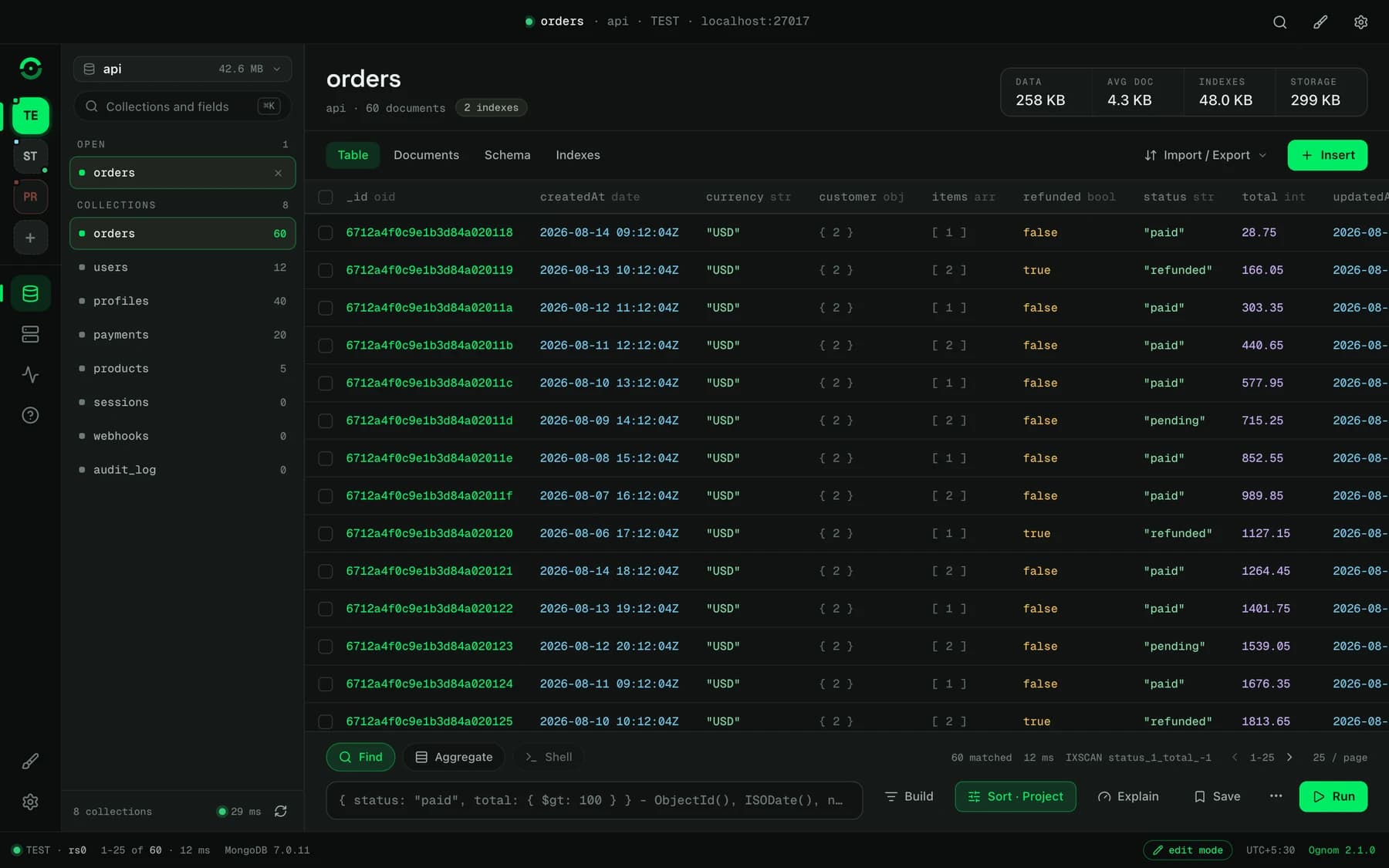
The query dock takes mongosh syntax: unquoted keys, ObjectId(), ISODate(), /regex/i. Matched count, timing and the index used sit right above the box.

Ognom is a free, open-source MongoDB client for macOS, Windows and Linux, one of the open-source tools from Broadifi Technologies. It is a native app built on Tauri and Rust, with tables, documents, an aggregation builder, indexes, SSH tunnels and a TypeScript type generator. No account, no telemetry, no paid tier.
We built it because we wanted a database tool that was fast, private and honest. That is still the brief.
The clients we tried were heavy, expensive, or sent usage data somewhere. We wanted one that was none of those. Ognom talks to your MongoDB servers, your SSH hosts and GitHub for update checks, and nothing else. Every feature is in the free version, because there is no other version.
It also has opinions about safety, the kind you form after watching someone run a delete against the wrong cluster. Mark a connection as Production and it opens read-only. The block lives in the backend, so no menu, shortcut, shell statement or $out stage can write around it. Dropping a collection means typing its name, and Ognom offers a BSON dump first.
The query dock takes mongosh syntax: unquoted keys, ObjectId(), ISODate(), /regex/i. Matched count, timing and the index used sit right above the box.
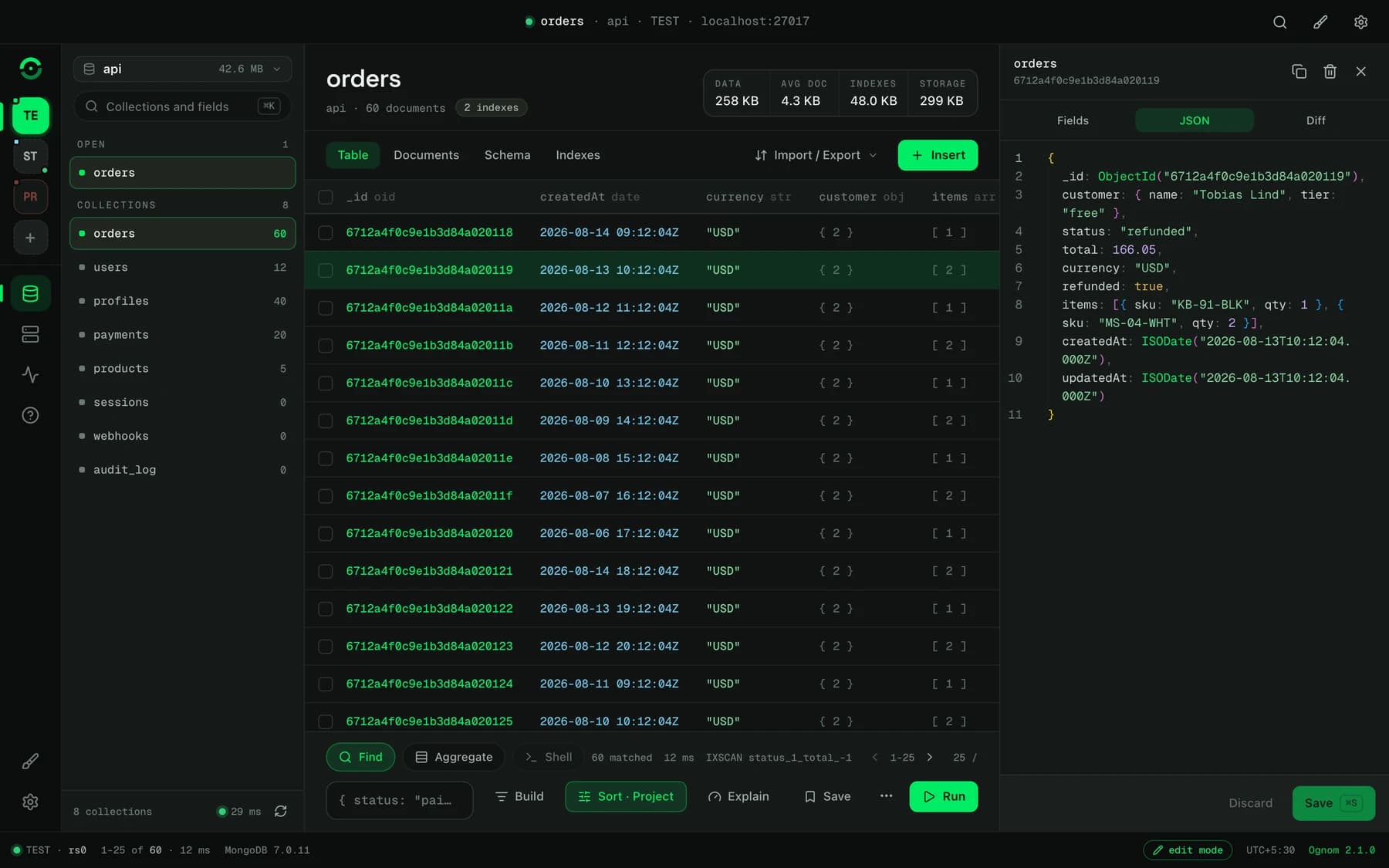
Click a row to open the drawer. Edit field by field with BSON types kept, or as JSON, look at the diff, then save with ⌘S.
One card per stage and 24 stage operators with starter snippets. Turn stages off, run to any point, and see documents out, drop-off and time for each.
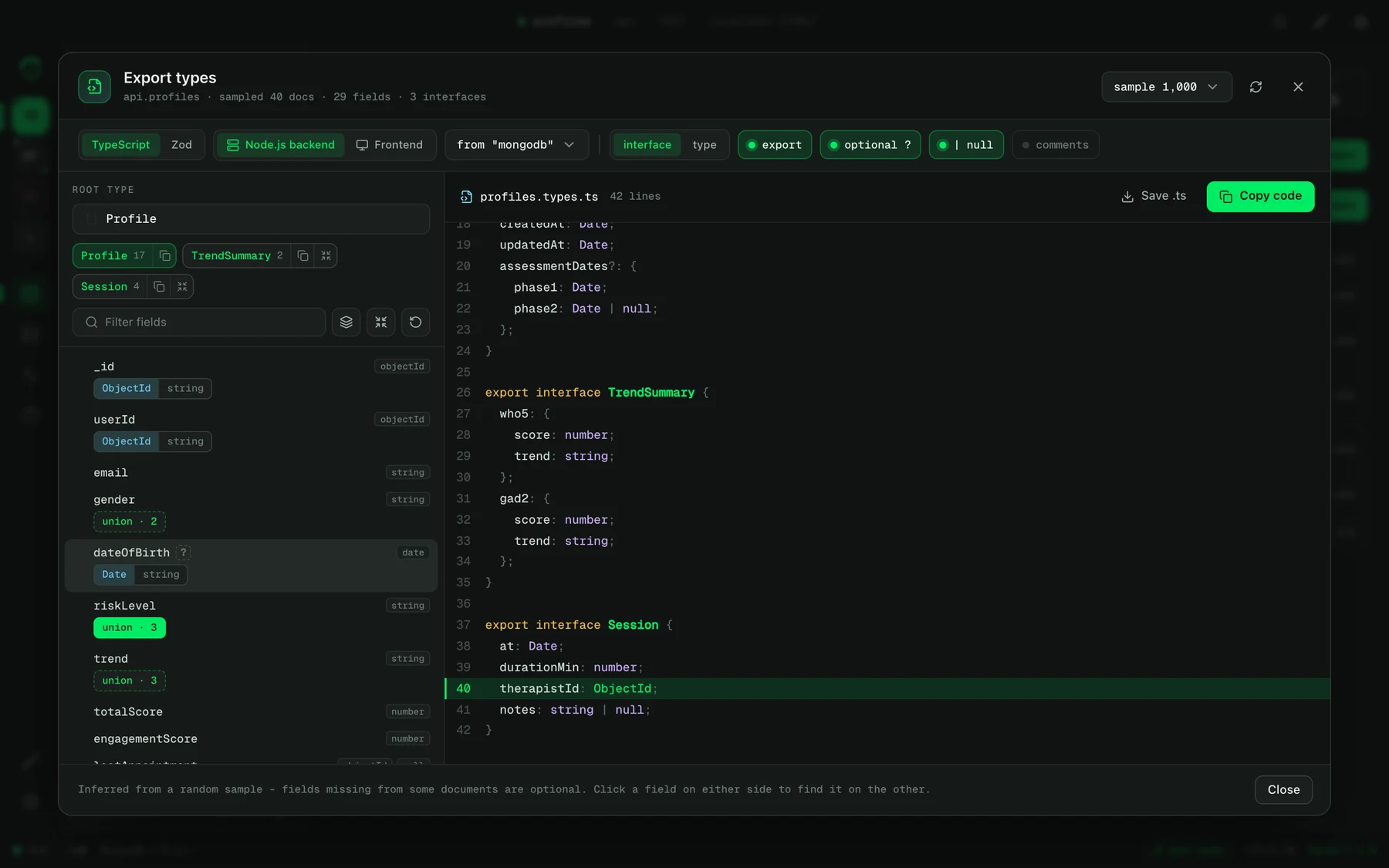
Sample a collection and get TypeScript interfaces or Zod schemas, for a Node.js backend or a frontend. Split nested objects into their own interfaces with one click.
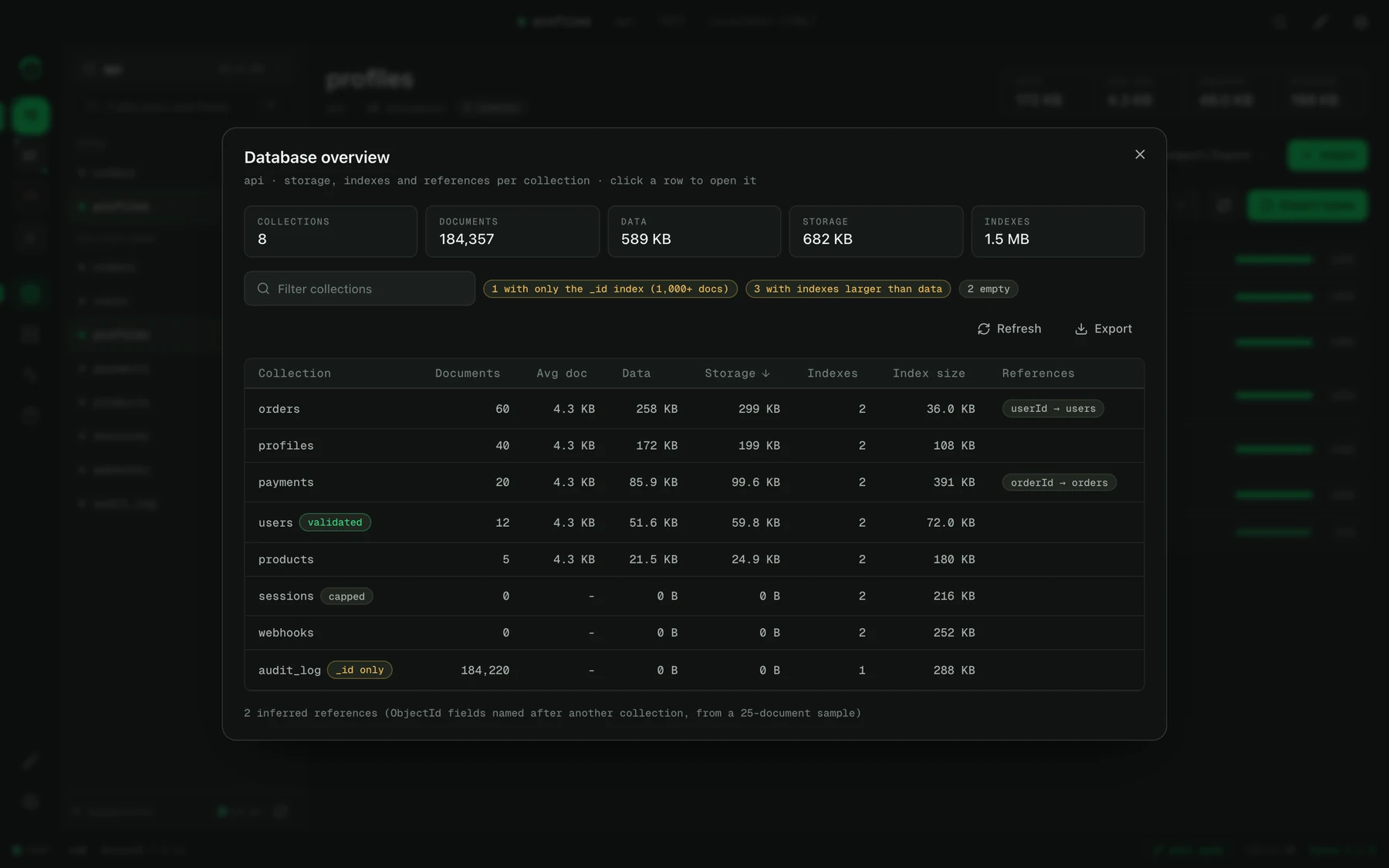
Size and usage for every index, with unused ones called out. When Explain finds a collection scan, it names the index the query wants.
Import and export JSON, NDJSON, CSV and BSON. Copy a collection to another server, or diff two collections by _id and sync the differences.
Every connection is a colour-tagged tile on the rail. Keep several live, through SSH tunnels, TLS, X.509 or LDAP where you need them.
Mongo dark, Mongo light, Bloom, Bloom noir, Midnight, Mono, Contrast and Solar, in three densities. ⌘⇧T cycles through them.
Get the build for your system from the latest GitHub release: a .dmg for macOS, .exe or .msi for Windows, and .AppImage, .deb or .rpm for Linux.
The builds are not signed with a paid Apple certificate, so macOS quarantines the download. Remove the flag once, then open Ognom from Applications.
xattr -dr com.apple.quarantine /Applications/Ognom.app
Click + on the rail, paste a connection string or fill in the host, pick a session mode, press Test, then Connect.
Yes. It is MIT licensed, with no account, no licence key and no locked premium features.
No. Ognom is a focused console without AI features. Your queries and your data go to your MongoDB server and nowhere else.
Yes. It works with Atlas, self-hosted servers, replica sets and sharded clusters, through mongodb:// or mongodb+srv:// connection strings.
The installers are not signed with a paid certificate. On Windows, choose More info and then Run anyway. On a Mac, run the xattr command above once.
Yes. You need Rust, Node.js 20 or newer and the Tauri prerequisites for your system, then npm install and npm run tauri build.