Real terminals
Proper PTY sessions over SSH, rendered with xterm.js, with colour schemes per host and search through the scrollback with case and regex toggles.

TerCTL is a free, open-source SSH client and terminal manager for macOS, Windows and Linux, one of the open-source tools from Broadifi Technologies. It keeps your hosts in groups, opens real terminals, splits them into panes, edits remote files in place and moves files over SFTP. No account and no telemetry.
It is the terminal we wanted to use ourselves: keyboard first, with the mouse as an option.
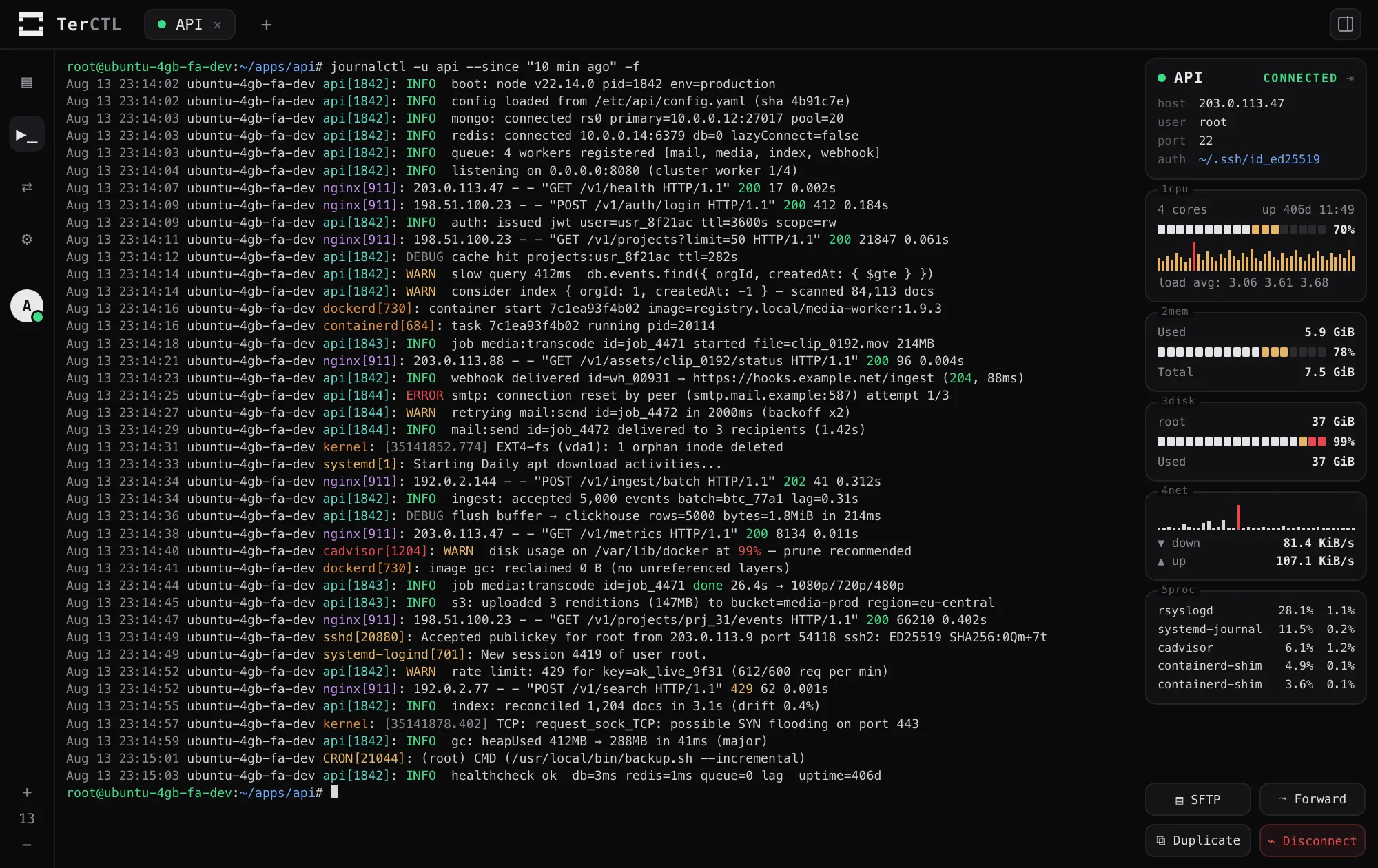
If you look after more than a handful of servers, the usual setup is a terminal, a separate SFTP client, a text file of hostnames and a monitoring tab somewhere. TerCTL puts all of that in one window and lets you drive it from the keyboard.
It is a real desktop app, not a browser wrapper. SSH, terminals, SFTP and keychain access all run in Rust, and the React side never opens a socket. Your hosts sit in a local SQLite file and your secrets in the OS keychain, so nothing about your servers leaves your machine.
Proper PTY sessions over SSH, rendered with xterm.js, with colour schemes per host and search through the scrollback with case and regex toggles.
Split a tab into panes. Drag a pane to split it again, drag a divider to resize, and every session stays live while you do.
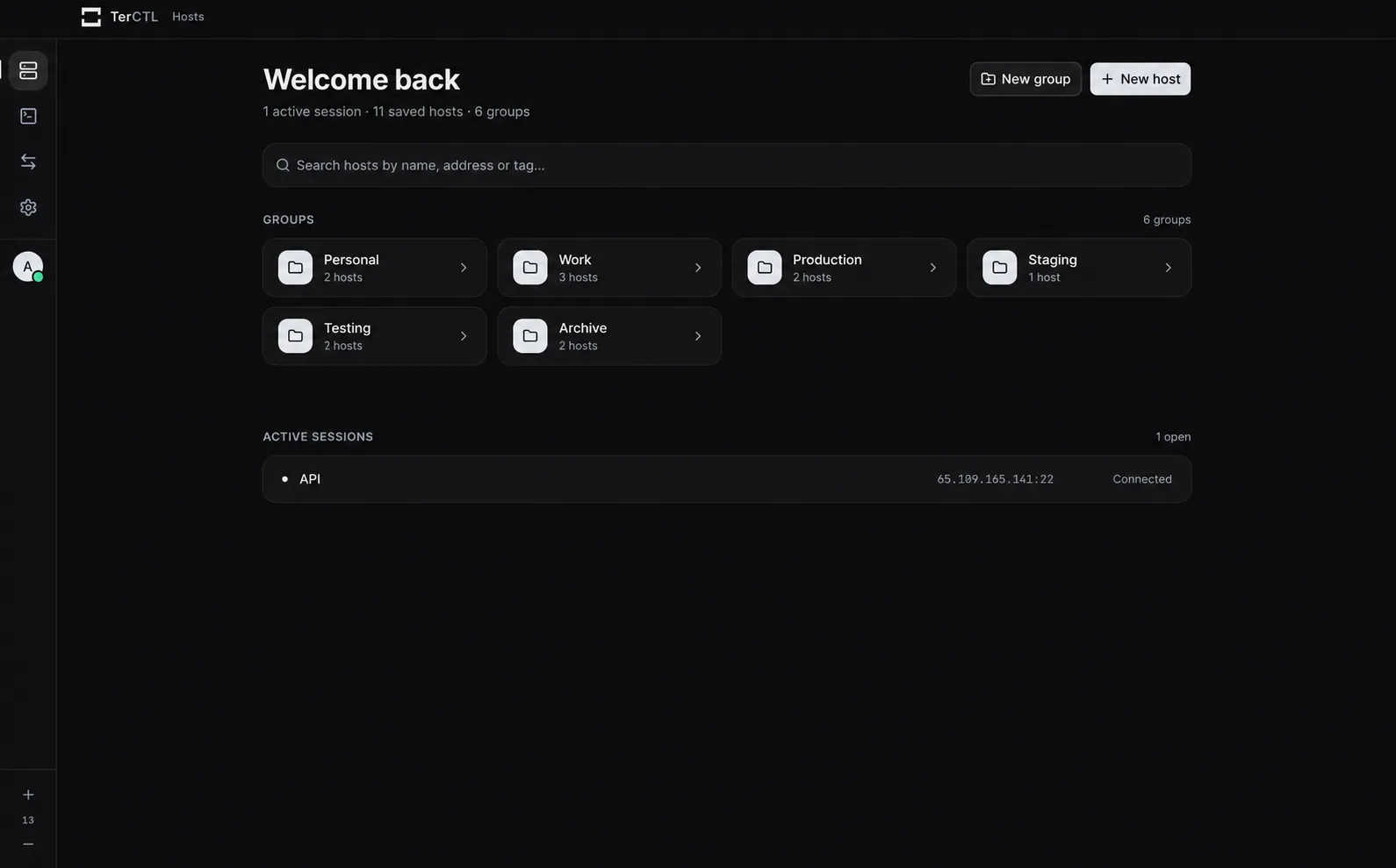
Nested groups and tags, with one search across labels, hostnames, users and tags. Local shells open alongside the remote ones.
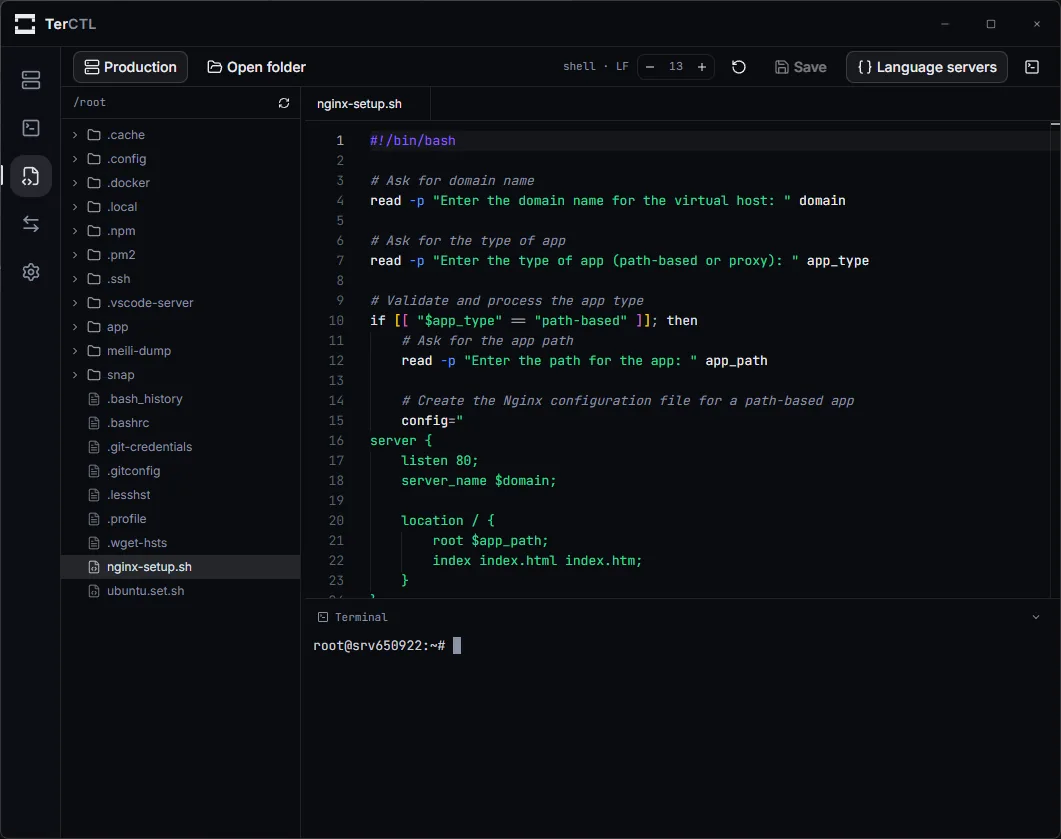
Open a remote directory with a file tree, tabs, syntax highlighting for 30+ languages and a shell underneath. Nothing gets installed on the host.
Writes go through a temp file and an atomic rename, keep the file's mode, and refuse to overwrite a file that changed since you opened it.
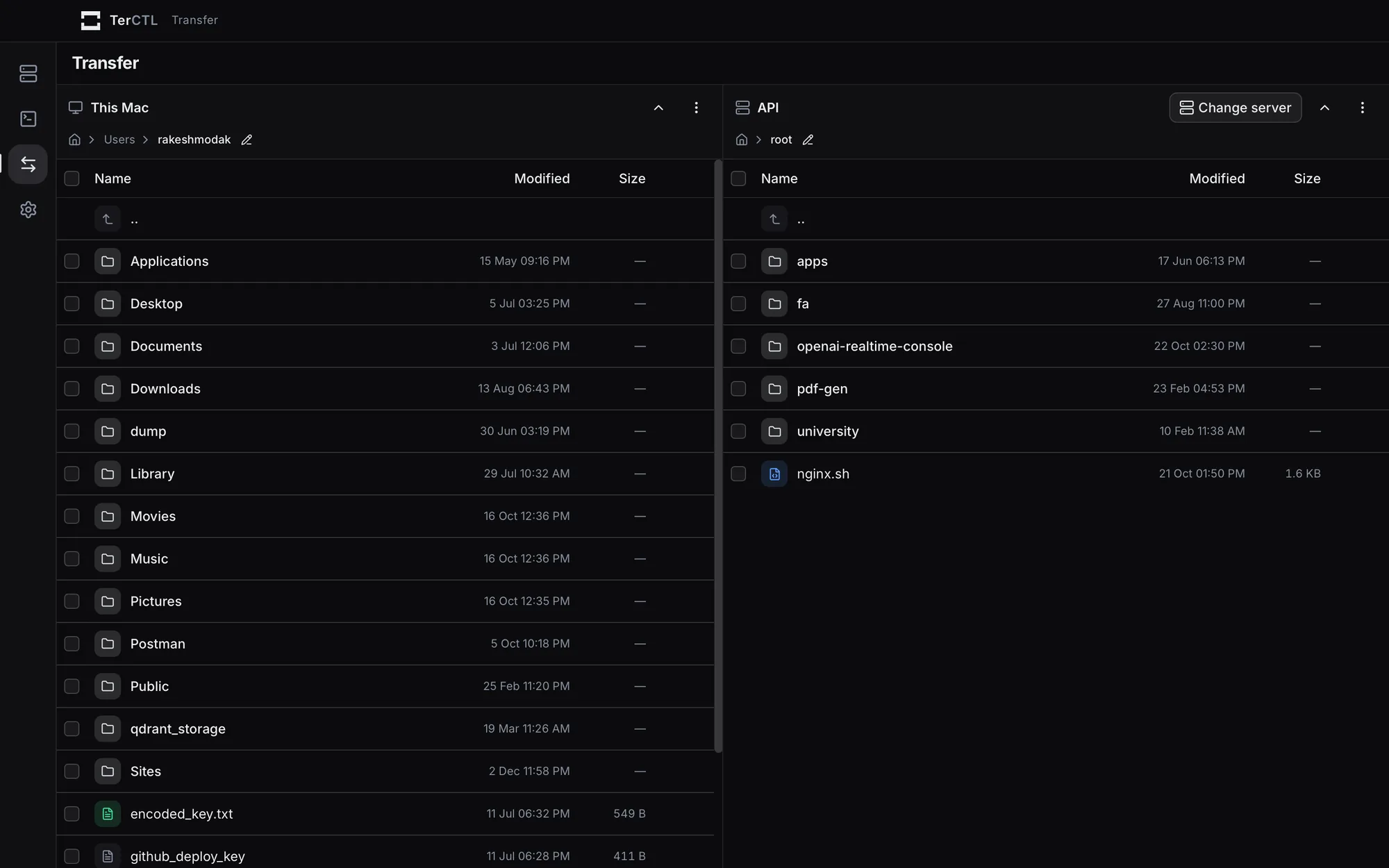
Local on one side, remote on the other: upload, download, rename, create folders and show hidden files.
CPU and cores, load average, memory, disk, network throughput, uptime and top processes, right next to the terminal.
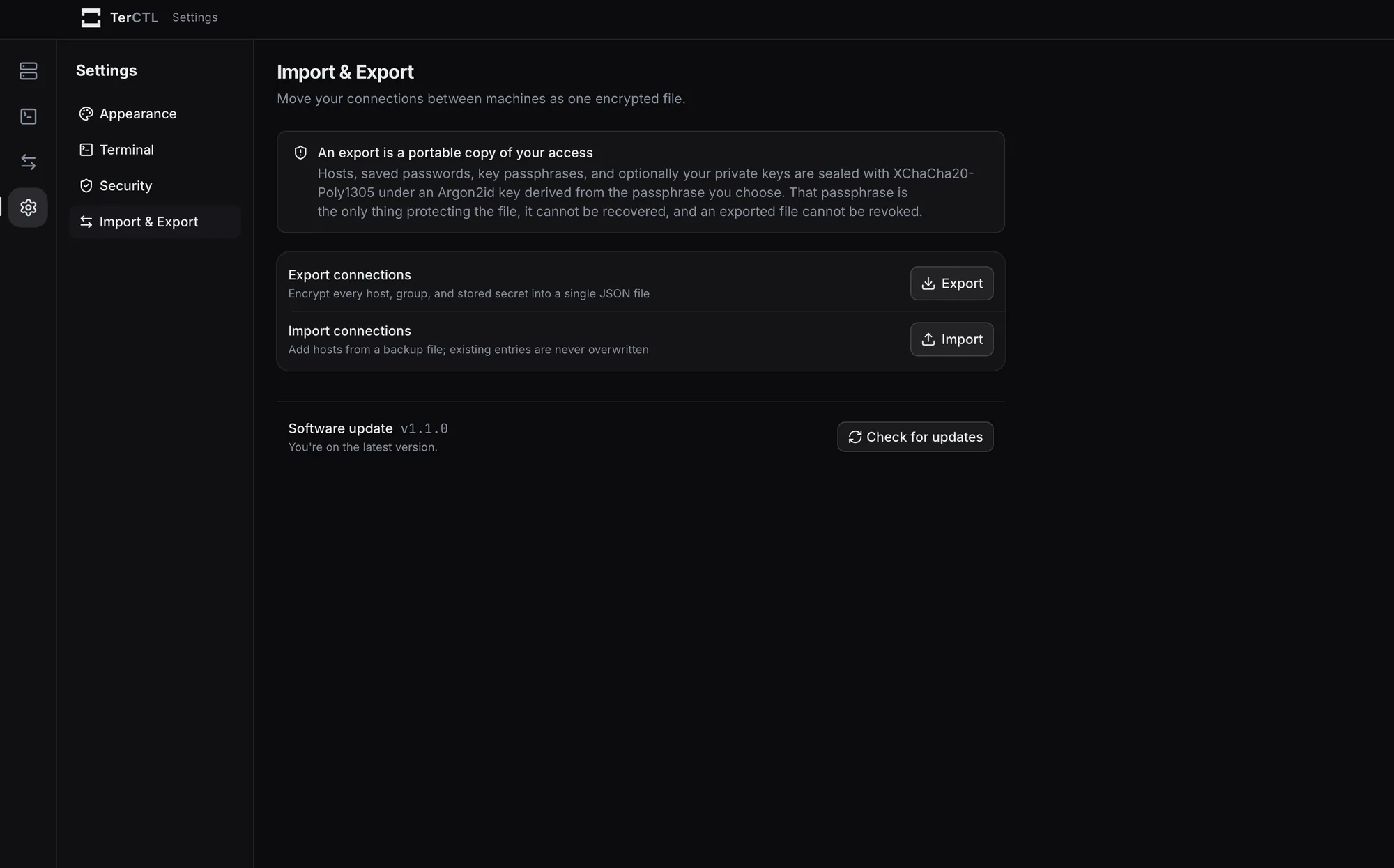
Export hosts and settings to one file sealed with Argon2id and XChaCha20-Poly1305, and import it on the next machine.
Real captures from the desktop app.
Installers for all three platforms are on terctl.dev. To build it yourself:
Node 22, stable Rust from rustup.rs, and the Tauri prerequisites for your operating system.
Start it in development mode. On Linux, if the window fails to open, try npm run tauri:dev instead.
npm install
npm run tauri dev
The installer lands in src-tauri/target/release/bundle/.
npm run tauri build
From terctl.dev, for macOS, Windows and Linux. Installed copies update themselves with signed releases from GitHub.
In the macOS Keychain, Windows Credential Manager or the Secret Service on Linux. Hosts, groups and known-host fingerprints sit in a local SQLite file, and secrets never go in it.
No. There are no accounts and no telemetry.
Yes. The code is on GitHub under the MIT license. CONTRIBUTING.md covers setup and conventions, and issues and pull requests are welcome.